 NestBit
AI Room Design: Redesign Any Room from a Photo
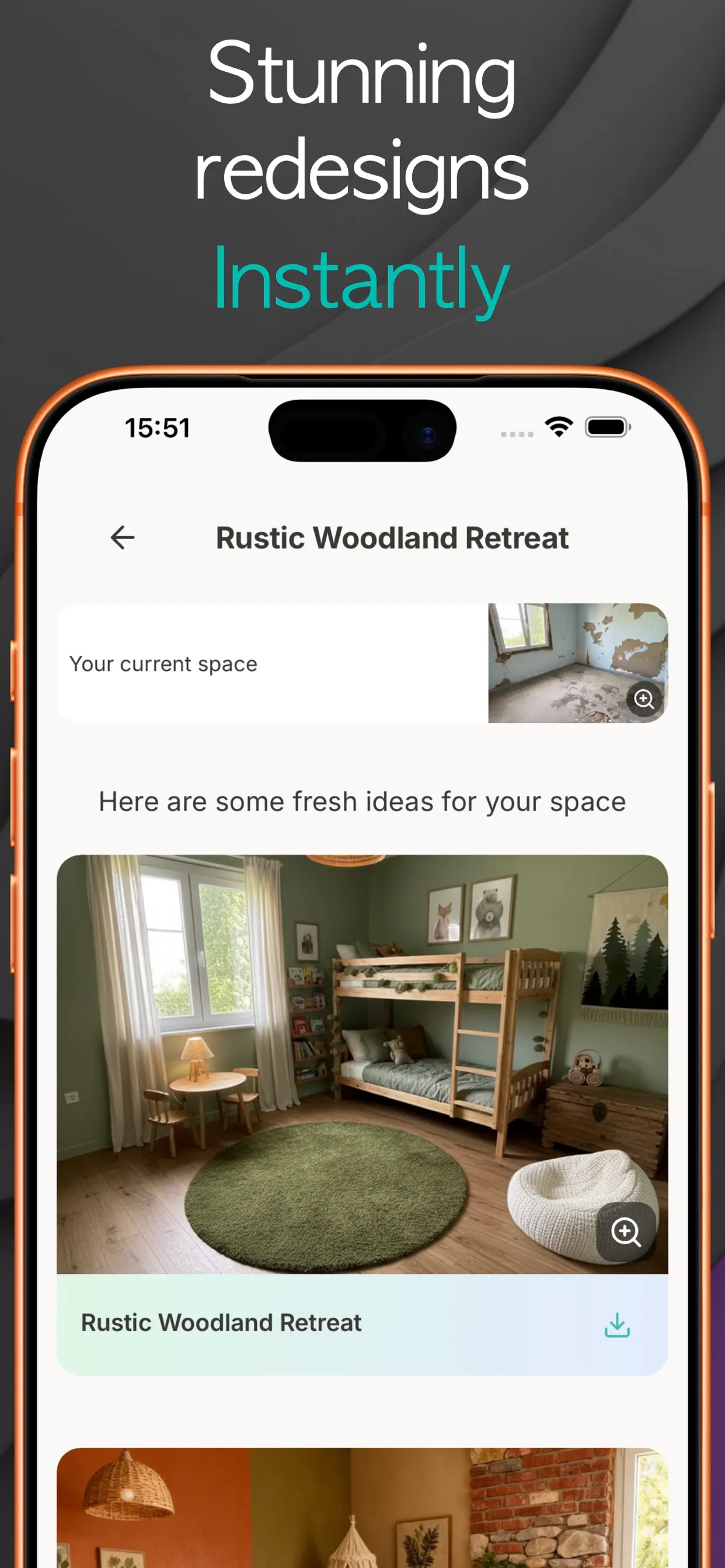
AI room design tools take a photo of your real room and generate redesigned versions of that same space in a style you choose. With NestBit you photograph the room, pick one of 40+ styles and an optional color palette, and get two redesign variations in seconds. The app is free to download and your first 2 projects are free.
How AI room design actually works
The AI behind room redesign is an image model trained on millions of interiors. It reads your photo, understands the geometry of the space (walls, windows, floor, existing furniture), and repaints it in the style you request while keeping the room recognizably yours.
That last part matters. Generic inspiration photos from Pinterest show someone else's room. An AI redesign shows your room with different furniture, colors, and materials, which makes it far easier to judge whether a direction will really work.
Taking a photo that gets good results
The redesign is only as good as the input photo. Three rules make a big difference:
- Shoot from a corner, not straight at a wall. The AI needs depth cues to understand the room's shape.
- Use daylight where possible. Harsh artificial light or heavy shadows confuse material and color rendering.
- Get the whole room in frame. Step back or use the wide lens; cropped photos produce cropped ideas.
Styles and color palettes
NestBit ships with 40+ styles, from safe bets like Modern, Contemporary, and Scandinavian to personality picks like Art Deco, Japandi, Vaporwave, and Gaming Room. If you already know your color direction, you can also apply a designer-curated palette such as Truffle Brown or Dusty Blue on top of the style.
A practical workflow: generate the same room in three different styles first, pick the one that feels right, then iterate on palettes within that style.
How to redesign your room with NestBit
- Download NestBit free on your iPhone and open a new Interior Design project.
- Snap a photo of your room from a corner, or pick one from your library.
- Choose a style (and optionally a color palette) from the built-in catalog.
- Generate. You get two redesign variations of your exact room in seconds.
- Save the versions you like to your project so you can compare directions later.
Try it on your own home
NestBit is free to download on iPhone. Your first 2 projects, design or repair, are free.
Download NestBit FreeFree download. No credit card required.
Frequently asked questions
Does the AI keep my room's layout?
Yes. The redesign is generated from your photo, so walls, windows, and the general layout stay where they are. The AI changes furnishing, colors, materials, and decor.
Is AI room design free?
NestBit is free to download and includes 2 free projects. That is enough to redesign two rooms and judge the results before deciding on Pro.
Can I use the results to shop or brief a designer?
Yes. The generated images work well as a visual brief for a designer, a contractor, or your own shopping list.